
Overview


|
What is TEXT2Clp?TEXT2Clp is a FREEWARE utility for Windows command files. TEXT2Clp will copy the contents of a file to the Windows Clipboard. We also provide CLIP2Txt, a command line utility to copy the contents of the Windows Clipboard to a file. TEXT2Clp is free software and comes with full source code. No purchase necessary, but donations are welcome! Version Information
TEXT2Clp Version 2.01 (Copy the contents of a file to the Windows Clipboard) New in Version 2.01:
For more details, please see the version information provided with the application. |
Download
Downloading TEXT2Clp
-
Download text2clp2-01.zip and store it into a temporary directory, e.g. C:\TEMP
 TEXT2Clp
Download Germany (
TEXT2Clp
Download Germany ( )
)
TEXT2Clp
Download Switzerland ( )
)Version 2.01
06. December 201652 KB Freeware
US$ 0.00
- ZIP archives can be opened with the Windows Explorer, no additional software is required. Double-click on the file text2clp2-01.zip to view the archive contents. These can be copied to any folder on your machine.
Register
No Registration
TEXT2Clp is free software, distributed under GNU General Public License, Version 3.
TEXT2Clp Version 2.01 (Copy the contents of a file to the Windows Clipboard)
Copyright © 1999, 2003, 2015, 2016, James Greene
This program is free software; you can redistribute it and/or modify it under the terms of the GNU General Public License as published by the Free Software Foundation; either version 3 of the License, or (at your option) any later version.
This program is distributed in the hope that it will be useful, but WITHOUT ANY WARRANTY; without even the implied warranty of MERCHANTABILITY or FITNESS FOR A PARTICULAR PURPOSE. See the GNU General Public License for more details.
You should have received a copy of the GNU General Public License along with this program. If not, see http://www.gnu.org/licenses.
If you would like to make a donation to the author as a token of your appreciation for this fine piece of free software, please contact
Screen Shots
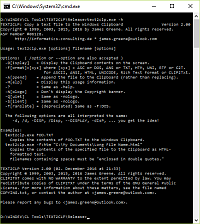
Screen Shots
|
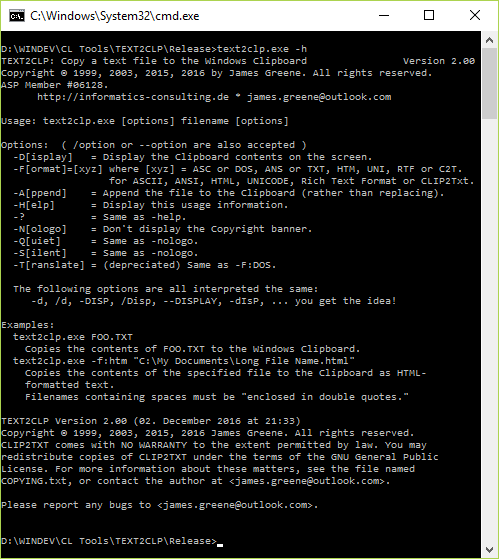
For more information about the full range of features, Download TEXT2Clp and try it out. If you like what you see, please ! Thank you! |
Documentation
Documentation / Using TEXT2Clp
Usage: TEXT2CLP.exe [options] filename [options]
Options:  ( /option or --option are also accepted )
  -D[isplay]   = Display the Clipboard contents on the screen.
  -F[ormat]=[xyz] where [xyz] = ASC or DOS, ANS or TXT, HTM, UNI, RTF or C2T.
                  for ASCII, ANSI, HTML, UNICODE, Rich Text Format or CLIP2Txt.
  -A[ppend]    = Append the file to the Clipboard (rather than replacing).
  -H[elp]      = Display this usage information.
  -?           = Same as -help.
  -N[ologo]    = Don't display the Copyright banner.
  -Q[uiet]     = Same as -nologo.
  -S[ilent]    = Same as -nologo.
  -T[ranslate] = (depreciated) Same as -F:DOS.
Options are not case-sensitive, and can be abbreviated to one character.
The following options are all interpreted the same:
-d, /d, -D, /D, --DISPLAY, /Display, -dIsP, ... you get the idea!
Examples:
TEXT2CLP.exe FOO.TXT
Copies the contents of the file FOO.TXT into the Windows Clipboard.
TEXT2CLP -F:HTM "\My Documents\Long File Name.html"
Copies the contents of the specified file into the Windows Clipboard,
as HTML-formatted text.
Filenames containing spaces must be "enclosed in double quotes."
Links and Awards